
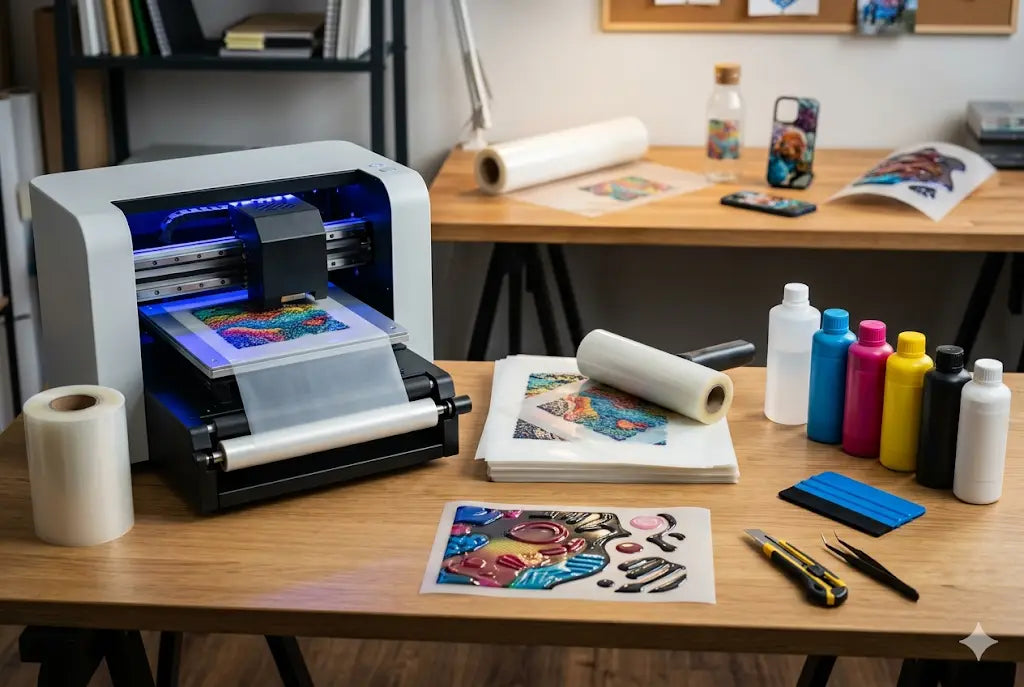
Key Highlights
- Select the right 3D UV DTF printer, TPU films, UV ink sets, and UV curing devices.
- Create an ideal work environment that is clean, dust-free, and well-ventilated.
- Study proper film management, ink application, and curing procedures for high-quality printing outcomes.
- Design artwork using software and convert them into print files with appropriate resolution and color profiles.
- Conduct test prints from time to time to attain consistency.
The custom printing industry is experiencing a major transformation through the emergence of 3D UV DTF TPU printing as a revolutionary technology. The system enables businesses and beginners to produce high-quality designs which maintain durability and visual appeal across multiple surfaces without requiring complex equipment. It operates faster than traditional printing methods while delivering higher operational efficiency and simplified management. Would you like to get started with TPU in 3D UV DTF printing? If so, this blog is for you. Here we are going to talk about the basics: the equipment and the initial setup.
We will outline a straightforward process to help you learn about the essential equipment and procedures for starting your UV DTF printing business with TPU.
1. Essential Materials for UV DTF TPU Printing Setup
UV DTF Printer and Core Machine Setup
The most important equipment is a UV DTF printer designed specifically for direct film printing. This machine produces high-resolution transfer designs through its use of UV-curable inks and its advanced printing technology. A printer that operates consistently and maintains its performance will deliver dependable output while minimizing repair requirements.
TPU A and B Films for Transfer Process
TPU films are essential for the UV DTF process. The A film is used for printing the design, while the B film helps with lamination and transfer. The films enable designers to create flexible and durable designs which maintain proper adhesion when applied to surfaces like glass and metal and plastic materials.
UV Inks, Cleaning Tools, and Consumables
The printing process needs high-quality UV inks to create vibrant prints which last for extended periods. The printer maintains its operational efficiency through cleaning solutions and maintenance kits and spare parts. The use of appropriate consumables will enable printers to function effectively while dealing with fewer clogging problems and producing better printing results.
2. Complete Setup Process for Beginners
Workspace Preparation and Environment Setup
The process of UV DTF printing requires a workspace that maintains complete cleanliness through continuous dust removal. Dust particles create detrimental effects which reduce print quality and disrupt adhesive bondability. The combination of proper ventilation systems and stable temperature conditions and organized workspace setups enables operations to function smoothly while delivering consistent results.
Installing Printer and Calibrating System
The printer needs calibration after the installation process completes to establish correct ink flow and proper alignment procedures. The procedure involves three main tasks which include printing head installation, resolution setting, and UV light strength assessment. The correct calibration process enables the creation of high-definition prints which maintain accuracy from the initial print stage.
Software Setup and Design Workflow
Design software like Adobe Illustrator or CorelDRAW is used to create or edit artwork. The files need preparation through high-resolution methods to prevent any occurrence of pixelation issues. The printed designs achieve precise customer expectations through proper color management and layout setup implementation.
3. Step-by-Step UV DTF Printing Workflow
Step 1: Creating and Preparing Design Files
The process starts when designers create high-resolution artwork. Documents need to be correctly sized and printed-ready after optimization. Effective design preparation results in printing output that displays precise colors together with clear images and sharp boundaries.
Step 2: Printing on TPU A Film with UV Ink
The design undergoes direct printing onto the TPU A film through the application of UV ink. The printer produces instant UV light which hardens the ink to create a raised design surface that can be transferred.
Step 3: Laminating, Cutting, and Transferring Design
The B film gets applied after printing to preserve and strengthen the design elements. The printed film is then cut and transferred onto the final surface by pressing firmly. The procedure finishes with this step which produces a long-lasting 3D print of excellent quality.
Conclusion
To launch a 3D UV DTF TPU printing business, you need to acquire the necessary materials, establish suitable equipment, and develop an efficient operational process. Beginners can start their printing business by using correct equipment together with an effective setup plan to achieve professional printing results. If you haven’t tried UV DTF yet, we recommend that you start with our UV DTF Sample Pack and UV DTF Gang Sheet Builder.
FAQs
1. What do I need to start UV DTF TPU printing?
To start UV DTF TPU printing, you need a UV DTF printer, TPU A and B films, UV inks, design software, and a curing system. These core materials allow you to print, cure, and transfer designs onto various surfaces efficiently.
2. Is UV DTF printing difficult for beginners?
No, UV DTF printing is beginner-friendly because it follows a simple workflow: design, print, cure, and transfer. With basic training and practice, beginners can quickly learn and produce professional-quality prints without advanced technical skills.
3. How much space is required for setup?
A small clean workspace is enough for UV DTF printing. You need space for the printer, film handling, and curing area. A dust-free and well-ventilated environment improves print quality and machine performance.
4. What is the role of a TPU film?
TPU film is used to hold and transfer the printed design. The A film carries the print, while the B film helps with lamination and application. It ensures flexibility, durability, and strong adhesion to surfaces.
5. Is any specialized software required for designing the artwork?
Yes, there are design software such as Adobe Illustrator or CorelDRAW which are used for producing designs for UV DTF printing. They enable the creation of hi-res artwork with color accuracy and proper layout.
6. How fast is UV DTF printing?
It is quite fast due to the quick drying nature of UV ink; therefore, this printing process will require just a few minutes depending on the complexity of the design being printed.
7. On which surfaces will the prints stick?
There are plenty of options for UV DTF printing. Prints can stick to glass, plastics, metals, woods, acrylics, etc.
8. Why is printer maintenance important?
Maintenance of the printer plays a significant role since it provides stable print quality by preventing printer problems, e.g., clogged nozzles.
9. Is it possible to establish a business using this method?
Yes, it is possible to establish a business using the UV DTF TPU printing system. This technique has a low initial cost, high customer demand, and profitability.
10. What are the strategies for expanding my UV DTF business?
Expanding the business involves purchasing better equipment, raising the production capacity, and adding more products. Additionally, marketing through social media and focusing on bulk orders will boost your business.