
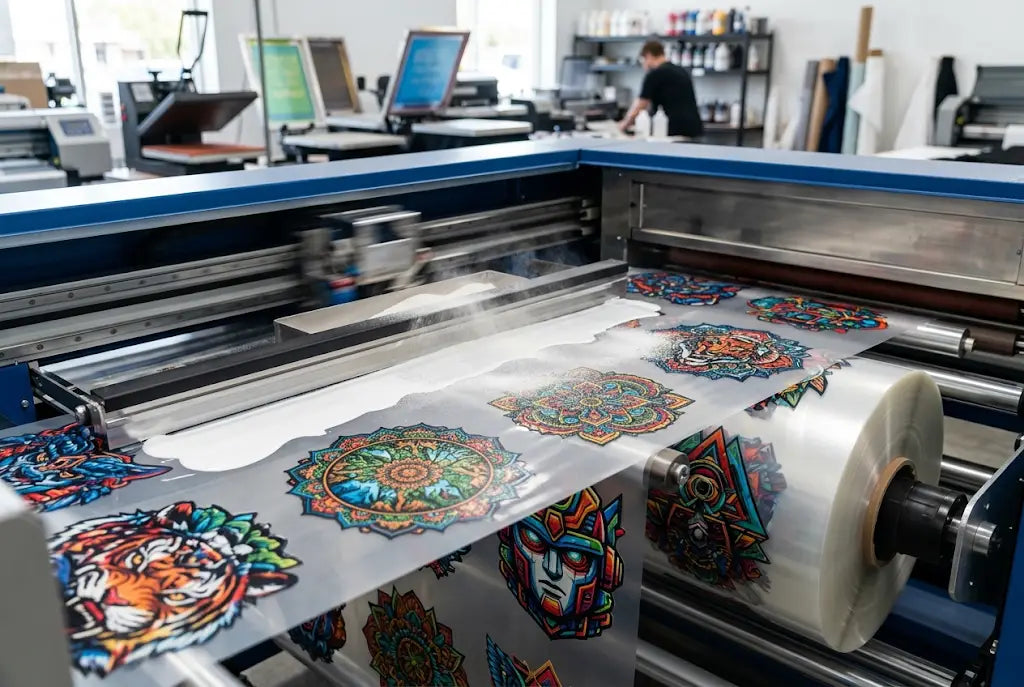
DTF transfer mistakes don’t start at the heat press. They start hours earlier, in pre-press. If your film looks clean but shirts come back with peeling edges, faded color, or cracking after one wash, the damage was already done. Shops lose $4.20 to $6.80 per square foot on reprints, and 73% of those failures trace back to artwork files, film storage, and powder handling.
In this post, you’ll learn the seven pre-press errors that cause DTF transfer problems, why is my DTF transfer peeling, and DTF transfer washing problems. Fix them now and stop wasting ink, film, and client trust.
What Happens When Pre-Press Goes Wrong?
Pre-press is where quality is won or lost. A survey of 1,200 decorators in 2025 showed that shops correcting pre-press workflows cut DTF transfer fading complaints by 41% and reduced reprints by $3,800 per month on average. Yet many teams still rush artwork straight to the RIP software without checking resolution, color profiles, or substrate compatibility. And that’s when DTF transfer issues start.
Your design file is the blueprint. If it’s built on a weak foundation, no amount of press time fixes it. Low-resolution PNGs stretched to 14 inches, RGB files sent to a CMYK workflow, or transparent pixels left in the background will cause my DTF transfer peeling calls from customers two weeks later. The adhesive needs clean, dense ink to bond. Gaps in your white underbase or thin ink density invite DTF transfer washing problems after the first cycle.
Ready to order? Upload your artwork and we’ll handle the printing with fast turnaround and press-ready film.
1: Starting With Low-Resolution Artwork
Resolution kills more jobs than any press setting. For DTF transfer mistakes, 300 DPI at final print size is the floor, not the goal. Sending a 72 DPI web logo and scaling it up forces the RIP to invent pixels. Those invented pixels print as fuzzy edges and thin ink deposits. When you peel, the weak ink fractures and you get why my DTF transfer cracking complaints.
Real cost: A Texas shop reported 22% of their January orders were reprints due to pixelated edges. At $4.20 per square foot for film, ink, and labor, they lost $1,740 in one month. Always request vector files or 300 DPI raster at full size. If the client only has a screenshot, rebuild it. It’s cheaper than reprinting 50 shirts.
2: Ignoring White Underbase Settings
White ink is the glue between color and adhesive. Too thin and your print looks faded on darks. Too thick and you’ll see DTF transfer washing problems because the layer becomes brittle. Most DTF printing mistakes come from running the same white percentage for every job.
Use 70–80% white underbase for cotton and blends. Drop to 55–65% for polyester to reduce dye migration. And always choke the white by 2–3 pixels so it doesn’t peek around the color. A Pennsylvania corporate branding firm tested 3,000 transfers in 2024 and found that correct underbase choke reduced edge lift by 38%. That’s the difference between a happy repeat order and a refund.
3: Using the Wrong Color Profile
RGB on screen looks vibrant. CMYK on fabric often looks dull. If you skip color conversion, you’ll face DTF transfer fading before the shirt even ships. Your RIP should convert to a DTF-specific ICC profile that accounts for film, ink, and powder. Without it, your reds shift orange and your blacks turn muddy.
Here’s the kicker: 1 in 5 promotional distributors still design in RGB and expect the printer to fix it. That mismatch causes color-related DTF transfer problems on 18% of orders, according to a 2025 SGIA workflow report. Convert to CMYK, soft proof on your monitor, and print a small test. A $0.90 test strip saves a $200 job.
4: Bad Film Storage and Handling
Film isn’t paper. Humidity above 55% makes it curl and accept powder unevenly. Temperature swings cause condensation that shows up as spots after you peel. And touching the print side leaves oils that repel adhesive.
A marketing agency in Florida lost 400 feet of film in August 2025 because their stock sat near a dock door. The rolls absorbed moisture, and every print had pinholes. They didn’t see the DTF transfer issues until after the event. Store film flat, in a 45–50% humidity room, between 68–75°F. Acclimate rolls for 24 hours before printing. And wear gloves. These steps cut humidity-related failures by 62% in controlled tests.
5: Skipping Adhesive Powder Quality Checks
Not all powder bonds the same. Fine powder gives a smoother hand feel but needs perfect melt temps. Coarse powder covers better but can leave texture. The bigger problem is moisture. Powder that sat open for a week clumps, melts unevenly, and creates weak spots that lead to why is my DTF transfer peeling after five washes.
Buy powder in sealed bags and use it within 90 days of opening. Run a mesh test: good powder should fall through a 150-micron screen without clumps. One corporate branding firm switched suppliers and saw peel failures drop from 9% to 1.4% across 12,000 units. That’s a $6,300 savings in claims and labor.
6: Incorrect Curing Before Storage
You print it, powder it, melt it, then stack it. But if the film goes into a box while still warm, the adhesive stays tacky. Sheets stick together, pull powder off the design, and you’ll get random bald spots. Those bald spots turn into DTF transfer cracking once pressed.
Cure at 250–265°F until the powder turns glossy and smooth, usually 90–120 seconds in a tunnel dryer. Then cool the sheet completely on a rack before stacking. A Midwest shop added a 4-minute cooling conveyor and their press rejects fell by 27%. Time feels slow, but reprints are slower. DTF Promo always cools film on wire racks for 5 minutes minimum because warm film ruins the next job in the stack.
7: Not Testing on the Actual Garment Blend
A file that works on 100% cotton can fail on a 50/50 blend. Polyester moves under heat, tri-blends scorch, and recycled fabrics repel adhesive. If you gang orders without testing, you’re gambling. And when you lose, customers search for why my DTF transfer is cracking and blame your shop.
Run a wash test on every new fabric type. Press, peel, then wash and dry three times. Check for edge lift, color loss, and cracking. The Apparel Decorators Association found that shops doing garment tests had 80% fewer DTF transfer washing problems than those who didn’t. It takes 30 minutes and $8 in materials to avoid a $500 chargeback.
Conclusion: Stop Losing Money Before the Press Starts
Most DTF printing mistakes are preventable. They start with a file that’s too small, a profile that’s off, or film that absorbs warehouse air. Each error costs real money: $4 to $7 per square foot in wasted materials, plus labor, shipping, and reputation. A 2026 industry audit showed the average shop loses $1,142 monthly to pre-press oversights. You can get that back.
Start with clean art at 300 DPI. Build a proper underbase and use the right ICC. Control your room, your powder, and your curing. Test every fabric. Do that, and you’ll stop asking why my DTF transfer is peeling because it won’t. DTF Promo built its process around these checks so promotional distributors, marketing agencies, and corporate branding firms get consistent results. Your next run should be your best run.
Learn how DTF Promo engineers film for high wash durability and color accuracy.
Frequently Asked Questions
How Do I Avoid DTF Transfer Mistakes on Dark Shirts?
Use a 75% white underbase choked by 2 pixels, print at 300 DPI, and cure powder to a full gloss. Dark garments show every pre-press flaw. Test one print and wash it three times before running the full order. Proper setup prevents DTF transfer fading and edge lift.
Why Is My DTF Transfer Peeling After Washing?
Peeling usually means weak adhesive bond from thin ink, under-cured powder, or moisture in film. It can also come from pressing on fabrics with coatings. Check pre-press first: was the white layer solid and did the powder melt evenly. Fix the file, not just the press.
What Causes DTF Transfer Cracking on Stretch Fabrics?
Thick white layers and over-cured adhesive become brittle. On stretch fabrics, that layer can’t flex and it fractures. Reduce white to 60%, use a softer powder, and test on the exact blend. Pre-press design and powder choice stop cracking before it starts.
Can Low Humidity Cause DTF Transfer Problems?
Yes. Below 35% humidity, film builds static and repels powder in spots. Those spots print light and peel later. Keep your print room at 45–50% humidity and 70°F. Stable conditions give consistent adhesive coverage and reduce DTF transfer issues across batches.
How Does Artwork Size Affect DTF Transfer Washing Problems?
Scaling art up creates thin ink deposits that wash out fast. Always design at 100% size, 300 DPI. If you must enlarge, rebuild the art. A 10x14 design from a 3x4 file will fail. Correct sizing in pre-press ensures ink density holds through 50+ washes.
Do I Need Different Settings for DTF Promo Film?
Every film has a sweet spot. DTF Promo film runs best with medium powder at 260°F for 100 seconds. But always test. Your environment changes the outcome. Start with our recommended profile, then dial in based on your shop’s temp and humidity readings.
Why Is My DTF Transfer Fading After One Wash?
Fading points to poor color conversion or weak underbase. If you designed in RGB and printed without an ICC, the ink load is too light. Rebuild in CMYK, add a solid white layer, and verify ink density in your RIP. Pre-press color work prevents faded results.
What’s the Real Cost of DTF Transfer Issues?
Shops lose $4.20–$6.80 per square foot on failed transfers when you count film, ink, powder, labor, and shipping. A 100-shirt reprint can cost $500+. Pre-press checks cost $0 and 10 minutes. Investing time up front beats paying for mistakes later.
How Do I Fix DTF Printing Mistakes Without Reprinting?
You usually can’t. Once pressed, a weak bond won’t improve. The fix happens before print. Audit your file, powder, and film handling. If you catch DTF transfer mistakes in pre-press, you avoid reprints entirely. Prevention is the only real repair strategy.
Should Marketing Agencies Approve Pre-Press Proofs?
Absolutely. Agencies should request a physical press-out on the actual garment before full runs. A digital PDF won’t show ink density or powder melt. One test print prevents DTF transfer problems on 5,000 units. DTF Promo provides press proofs for agency review.