
Key Highlights
- Smart layout planning helps you fit more designs on every gang sheet without sacrificing quality.
- The combination of consistent sizing and grouping methods decreases wasted space, which leads to faster production operations.
- The strategic rotation and nesting of artwork enable the complete usage of all available sheet space.
- The removal of extra margins, together with transparent sections, boosts printing performance.
- The gang sheet builder tool enables users to achieve precise alignment and scaling, which results in improved bulk printing outcomes.
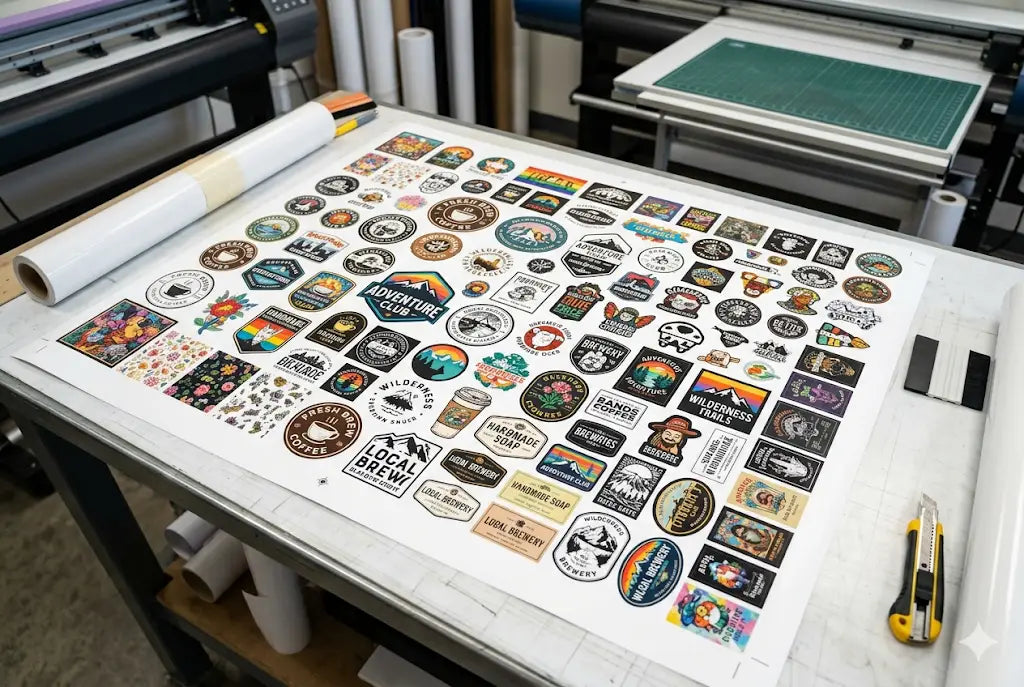
If you are looking to save more in 2026 with DTF transfers, then you need to look into gang sheet printing. The most important element for businesses to achieve maximum profits and operational efficiency lies in their capacity to exercise complete control over their DTF gang sheets. A gang sheet allows you to place multiple designs on a single transfer sheet, which decreases material waste and production costs. You can achieve higher production levels while spending less money and completing work faster by learning the best way to use gang sheets DTF.
The blog presents five effective techniques that enable you to use your DTF gang sheets more efficiently while producing additional prints with consistent, high-quality results.
1. Plan Your Layout Before Uploading Designs
The foundation of an efficient gang sheet starts with proper planning. You should take time to map out how each element will fit together instead of uploading designs randomly. The first step requires you to organize designs according to their dimensions and structural characteristics while avoiding common DTF gang sheet layout mistakes.
The elements should be grouped together because their similar properties allow them to be matched with other elements without leaving unoccupied spaces. The visualization of your layout before starting work prevents space wastage and provides a better experience during digital sheet creation. We recommend that you use templates and grid systems to improve your overall DTF gang sheet setup.
2. Use Standard Design Sizes for Better Fit
The most common space error occurs when designers select different design dimensions that do not match their previous choices. The excessive design variations create gaps that designers find difficult to fill. Standardizing sizes enables better element alignment, which helps you maximize DTF gang sheet space.
If you print logos or chest designs on a regular basis, then you should establish standard measurements for each different design category. The established standards will help you create organized design stacks that maintain consistent spacing between elements and follow proper DTF gang sheet spacing tips.
3. Use Rotation and Nesting Techniques
The most effective space optimization method involves using design elements through rotation and nesting techniques. You should test different angles for your artwork because this will help you find suitable solutions to use in restricted spaces.
Nesting is where designers put their smaller components into the empty spaces between their bigger components. You can use a large central graphic as your backbone element while you distribute smaller logos or icons to complete the remaining sections. These methods help you optimize DTF transfer sheet usage and ensure every section of the sheet is utilized effectively.
4. Remove Excess Transparency and Margins
The design elements of a space include invisible areas and excessive empty spaces, which create spatial wastage. So, before you upload your files, you must remove all transparent areas that exceed the design boundaries to meet proper DTF gang sheet file requirements.
You should not create wide safety margins for your design except when it becomes absolutely necessary. The essential spacing needs to support cutting and handling purposes, but you must not create excessive margins because this practice wastes essential space. This step plays a key role in helping businesses reduce waste in DTF printing.
Conclusion
When building a highly optimized DTF workflow, it is crucial to consider how you arrange designs on a gang sheet. The optimization leads to two benefits, which include waste reduction and increased capacity to complete orders within shorter timeframes. Once you master gang sheet building, you will not only save a lot of time on orders, but also build a significant profit along the way. MOre space efficiency = more orders and more money.
Want to start building? Order your free DTF sample pack and Gang Sheet Builder to start printing more!
FAQs
1. What is a DTF gang sheet, and how to use it?
A DTF gang sheet represents a single transfer sheet that includes multiple designs. The method combines multiple graphics on one sheet because it helps to optimize printing space and decrease printing expenses. You can print multiple designs with consistent quality while reducing material waste during printing work.
2. Why is maximizing space on a gang sheet important?
Maximizing space on a gang sheet is essential because it helps you achieve maximum value from your printing operations. It allows you to maximize DTF gang sheet space, decrease material waste, and improve production efficiency.
3. How can I avoid wasting space on my gang sheet?
The way to prevent gang sheet space waste requires you to create your layout through design standards to remove all extra space. You need to use nesting and rotation techniques to fill empty spaces while avoiding DTF gang sheet layout mistakes.
4. What size should my designs be for a gang sheet?
The dimensions of your designs should match the required size for gang sheet printing. Standardizing dimensions support better DTF gang sheet setup and improves layout efficiency.
5. Can I mix different types of designs on one gang sheet?
Yes, you can include multiple design elements, which include logos, text, and graphics, on a single gang sheet. Proper spacing and organization using DTF gang sheet spacing tips will ensure smooth production.
6. What is the definition of nesting in DTF printing?
Nesting involves the practice of positioning smaller design elements into the available space between larger design elements. This technique helps to fully optimize DTF transfer sheet usage.
7. Do I need special software to create gang sheets?
You need a Gang Sheet Builder and that’s all. There is no need for any additional software unless you want to upload a custom gang sheet. A DTF gang sheet builder provides better functionality and automation compared to basic design tools, so we recommend you use a gang sheet builder.
8. What design spacing requirements should I follow?
Spacing should be enough for safe cutting but not excessive. Following proper DTF gang sheet spacing tips ensures efficient use of space without overlap. Keep the space minimum while making sure the designs don’t overlap.
9. Can beginners create efficient gang sheets?
Yes, beginners can create efficient gang sheets online without any special knowledge, tools or applications YOu only need a basic know-how of using browser-based software.
10. How can I prepare for seasonal demand?
The process of preparing for seasonal demand requires designers to create their designs beforehand and produce efficient gang sheets that enable large-scale printing while helping to reduce waste in DTF printing.